 EveryGen AI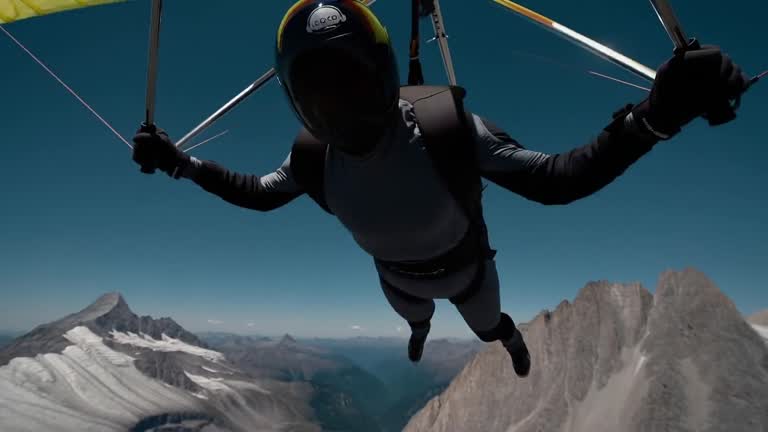
EveryGen AI Video & Image Generator
Create 5–15 second videos from a text prompt or opening frame, with an optional ending frame to guide the finish. H3 Max renders 480P or 768P at 24 FPS with synchronized audio in the same generation.
0/50000
Examples
1 / 3301
H3 Max · Introduction
Overview, evidence, benchmarks, context.
MiniMax H3 Max · 768P · Native Audio
Faster renders. Sharper direction.
H3 Max is a fal post-trained variant of the open-weight H3 base, built for fast text-to-video, first-to-last-frame animation, and structured long prompts with native synchronized audio. When testing H3 Max, record the inputs, duration, and review criteria together. EveryGen AI is an independent tool, not an official MiniMax or fal website.
Text to VideoImage to Video768P5–15sNative Audio
≈2.5sbackend inference for a 5s 768P clip; queue and prompt expansion add to total wait time.
02
H3 Max · How to use
Prompt, settings, review, iteration.
- STEP 1
Select MiniMax H3 Max
Choose H3 Max or Turbo, then set the aspect ratio, resolution, and a duration from 5 to 15 seconds.
- STEP 2
Add your frames
Start with an optional opening image. Add an ending frame when you want to guide where the shot finishes.
- STEP 3
Write the prompt
Describe your subject, action, camera, and lighting. Include the dialogue or atmosphere you want to hear.
- STEP 4
Generate and refine
Check the credits and generate. Preview the picture and sound, refine your prompt or frames, and download your favorite take.

Input

Image 1
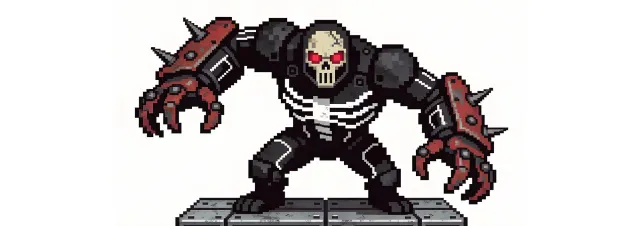
Image 2
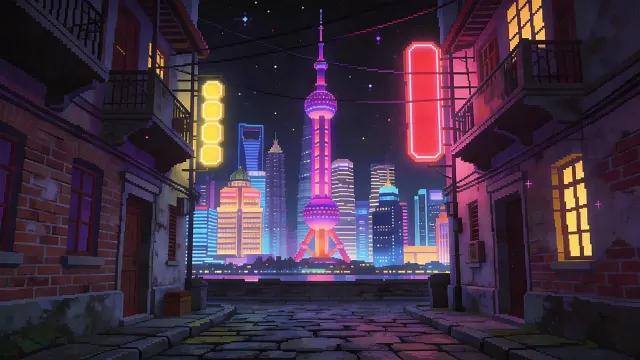
Image 3
Video 1
Audio 1
Output
Prompt:Using the character actions and camera language from @Video 1, generate a combat sequence featuring the characters from @Image 1 and @Image 2, set against the background of @Image 3. The fight choreography and visual style should emulate the pixel-art, side-scrolling combat of the classic game Contra, including retro movement rhythms and arcade-style impact beats. Apply the background music from @Audio 1, and synchronize additional combat sound effects—hits, jumps, and weapon actions—with the on-screen fighting motions to enhance intensity and immersion.
03
H3 Max · Features
Capabilities, prompts, editing, models.
Two stills become one shot
The same character, shot after shot
Sound generated with the picture
One look held across every shot
It hits the beats in order
One continuous take, no cuts
Playable-looking game footage
A line to camera, lip synced
Claymation frog with pancakes
Hummingbird at a trumpet flower
Espresso, macro
04
H3 Max · User reviews
Verified comments from creators.

Marcus Deleon
Indie Game Developer
I made a full character PV for my game with MiniMax H3 in one afternoon. The menu UI stayed readable in every frame and the character never went off-model. That used to cost me a contractor and three weeks.

Aiko Tanabe
Animation Studio Lead
We tested every AI video generator on the market for stylized work. H3 is the only one that held our anime style across cuts. We now use it for pitch reels and animatics on every project.

Priya Raghavan
E-commerce Brand Owner
I uploaded four product photos and got a listing video with music and a voiceover the same day. My click-through rate on the new listings is up 38%. H3 even got the label text on my packaging right.

Danielle Whitfield
Social Media Manager
I ship five vertical videos a week for three brands. MiniMax H3 gets me from brief to draft in under an hour, with sound already synced. My old workflow needed a videographer and two review rounds.

Tomás Herrera
Freelance Video Editor
The editing side is what sold me. A client wanted the background of an interview changed — I typed one sentence into MiniMax H3 and the lighting on the subject matched the new scene automatically.

Oliver Bennett
Film Student
I previsualized my entire short film in MiniMax H3 before we shot a single frame. Rack focus, match cuts, even the title cards — it understands director language, not just keywords.
EveryGen AI · MiniMax H3 Max Pricing and Credit Plans
Cancel anytime
Lite
50% off0.025 / credit
$29.9$14.950% off
Billed $ yearly179· Save $179.8
600/month
Video Models
MiniMaxSeedanceWanGrok ImagineKling


Image Models
SeedreamGPT ImageNano Banana


- Includes MiniMax H3 and all premium models
- Up to 1 batch generation task
- Standard generation speed
- Standard generation success rate
- Standard customer support
- Commercial Use License
Standard
50% off0.017 / credit
$49.9$24.950% off
Billed $ yearly299· Save $299.8
1,500/month
Video Models
MiniMaxSeedanceWanGrok ImagineKling
Image Models
SeedreamGPT ImageNano Banana
- Includes MiniMax H3 and all premium models
- Up to 4 batch generation tasks
- Priority processing speed
- High generation success rate
- Priority customer support
- Commercial Use License
Pro
50% off0.014 / credit
$99.9$49.950% off
Billed $ yearly599· Save $599.8
3,600/month
Video Models
MiniMaxSeedanceWanGrok ImagineKling
Image Models
SeedreamGPT ImageNano Banana
- Includes MiniMax H3 and all premium models
- Up to 10 batch generation tasks
- Fastest generation speed
- High generation success rate
- Dedicated account manager
- Commercial Use License
Max
50% off0.012 / credit
$199.9$99.950% off
Billed $ yearly1,199· Save $1,199.8
1x
1x2x3x4x5x
8,000/month
Video Models
MiniMaxSeedanceWanGrok ImagineKling
Image Models
SeedreamGPT ImageNano Banana
- Includes MiniMax H3 and all premium models
- Up to 10 batch generation tasks
- Fastest generation speed
- High generation success rate
- Dedicated account manager
- Commercial Use License
Pay safely and securely with























05
FAQ
Inputs, outputs, credits, boundaries.
FAQ
MiniMax H3 Max FAQ
Practical answers about MiniMax H3 Max inputs, output settings, the speed benchmark, credits, prompt structure, and the boundary between MiniMax H3 Max and standard H3.
MiniMax H3 Max is designed for fast text-to-video and first/last-frame image-to-video at 480P or 768P for 5–15 seconds with native synchronized audio. Standard H3 is the choice for multi-reference input, existing-video editing, and output up to 2K.
EveryGen AI support: hi@everygenai.app
06
CTA
Turn evidence into generation.
Start creating
Create your first MiniMax H3 Max video
Describe the subject, action, camera, and sound on the homepage, then choose 480P or 768P and a 5–15 second duration. MiniMax H3 Max also accepts an opening and optional ending frame; required credits are shown before submission.
Start GeneratingChoose a plan after signup
Native audio on every video
Up to 1440p cinematic output